Sudden changes in how your phone behaves can be unsettling, especially when you rely on it daily for work, communication, payments, and entertainment. Many assume hacking only targets celebrities or large companies, but ordinary users are often easier targets for overlooking early warnings. A hacked phone rarely shows dramatic symptoms at first; the clues are usually small and easy to ignore. Learning to recognize these signs early can help you protect your personal data, photos, and accounts before serious damage occurs. In this article, we will explain the most common warning signs of a hacked phone and what practical steps you can take right away.
Notice Unexpected Battery and Data Drain
Battery Dies Much Faster Than Usual
One of the earliest signs that something may be wrong is a battery that suddenly drains much faster than before. If your phone used to last a full day and now struggles to survive until evening, background activity could be the cause. Malicious software often runs silently, sending data or monitoring activity without your knowledge. This constant background work puts extra strain on the battery even when you are not actively using the phone. While batteries naturally degrade over time, a sharp and unexplained drop in battery life should raise your attention.
Data Usage Spikes Without Explanation
Unexpected increases in mobile data usage can also point to hidden problems. If you notice your monthly data allowance disappearing faster than usual, it is worth investigating. Hacked phones may transmit information to remote servers, consuming data in the process. This can happen even when you are connected to Wi-Fi, making it less obvious at first. Regularly checking data usage helps you spot patterns that do not match your normal habits.
Watch for Strange Pop-ups and Performance Issues
Persistent Pop-up Ads Even When the Browser is Closed
Seeing pop-up ads outside of your browser is a strong warning sign. These ads may appear on your home screen or while using unrelated apps. In daily life, this is not just annoying but also risky, as tapping these ads can lead to further infections. Such pop-ups often come from adware that has gained deeper access to your system. If ads continue even after closing all apps, your phone may be compromised.
Phone Runs Sluggishly, or Apps Crash Frequently
A hacked phone may feel slow and unreliable, even during simple tasks. Apps may take longer to open, freeze unexpectedly, or crash without clear reasons. This happens because malicious processes compete with normal apps for system resources. Over time, this can make everyday actions like messaging or navigation frustrating. While occasional slowdowns are normal, consistent performance issues deserve closer attention.
Check for Unfamiliar Activity and Apps
Unknown Apps Installed Without Your Permission
Finding apps you do not remember installing is another clear red flag. These apps may have generic names or icons designed to blend in. In some cases, they hide completely from the home screen, making them harder to detect. Such apps can collect data, show ads, or give attackers remote access. To check for them, you should periodically review both your download history in the app store and the full list of applications in your device settings. Reviewing your app list regularly helps you catch these intrusions early.
Mysterious Calls or Texts in Your History
Unfamiliar calls or text messages in your phone history can indicate unauthorized activity. Hackers may use your device to send premium messages or scam others without your knowledge. This not only risks your privacy but may also result in unexpected charges. Friends might even receive strange messages that appear to come from you. Pay special attention to outgoing messages to unknown numbers or short codes, which are often used for premium services. If you notice activity you cannot explain, it is important to act quickly.
Immediate Steps to Take If You Suspect a Hack
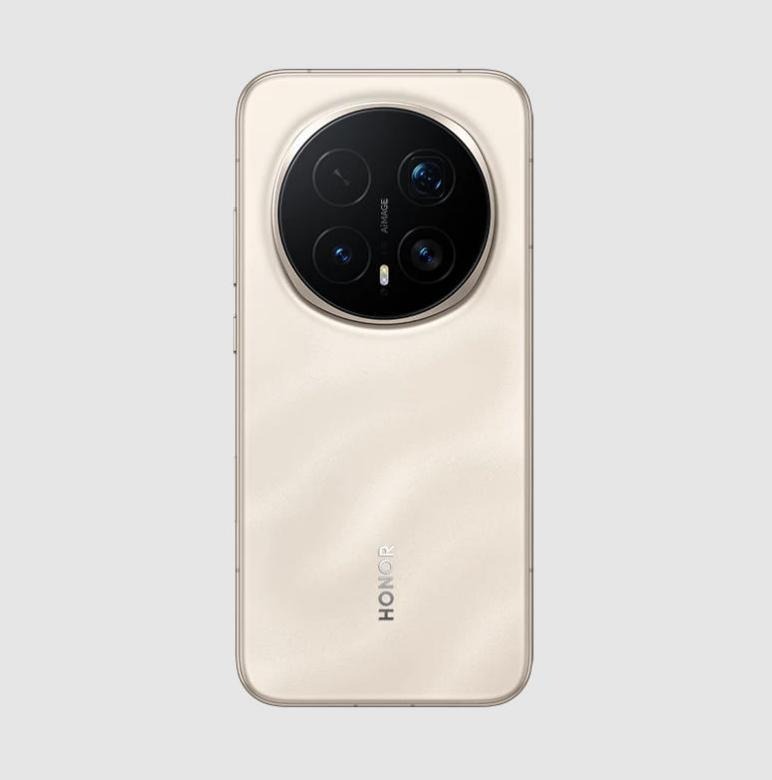
If you suspect your phone has been hacked, acting quickly can limit the damage and restore your sense of control. Start by disconnecting from the internet, including Wi-Fi and mobile data, to stop further data transmission. Next, review installed apps carefully and remove anything unfamiliar or suspicious. Updating your operating system and changing passwords for important accounts, especially email and banking, should be done as soon as possible. In some cases, people also use this moment to reconsider their device’s overall security and long-term reliability, comparing repair or replacement options and even checking details like the HONOR Magic 8 Pro price to see whether upgrading to a more secure and modern phone fits their budget and needs.
Conclusion
A hacked phone can quietly disrupt your daily life if warning signs are ignored. By paying attention to battery behavior, data usage, app activity, and overall performance, you can spot problems early. Most importantly, knowing what steps to take helps you respond calmly instead of panicking. Smartphones are essential tools, and protecting them protects much more than just a device. Staying alert and acting quickly gives you the best chance to keep your digital life safe.